
விளக்கம்
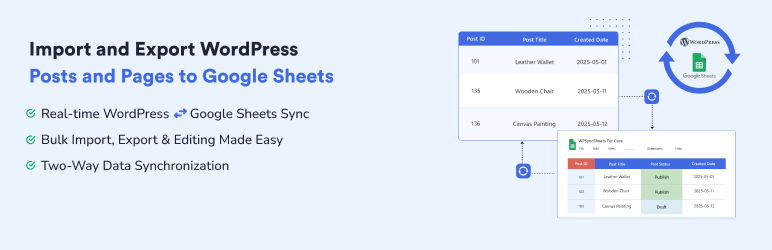
WPSyncSheets For Core is the fastest and most reliable way to import and export WordPress posts and pages in bulk. Save hours of manual work by managing large datasets effortlessly with a powerful and intuitive interface. Built with a developer-friendly architecture, it ensures clean data handling, optimized performance, and compatibility with complex WordPress environments.
If you are looking for a powerful Import Export Plugin for WordPress Posts and Pages, this plugin is the perfect choice. It allows you to easily import and export posts and pages in bulk while maintaining structured and reliable data handling for smooth migrations and content management.
Sample Sheets | Docs | Support | Pro
WPSyncSheets For Core Features
-
WordPress Import Export Plugin – Export Posts, Import Pages & Bulk Data
Export posts and import pages using a powerful WordPress import export plugin. Perfect for WordPress migration, CSV import, bulk export, and content updates. WPSyncSheets For Core helps you process large amounts of data quickly while maintaining structured and accurate content across your website. -
Backup WordPress Posts & Pages Easily
Securely backup your WordPress posts and pages in just a few clicks with a fast and reliable export process. This solution helps you protect your website content, prevent data loss, and simplify migrations or restores with structured and accurate backups. WPSyncSheets For Core makes it easy to handle bulk data, ensuring your content is always safe, accessible, and ready to restore whenever needed. -
Export WordPress Posts to Excel & CSV
Export your WordPress posts and pages to Excel or CSV format quickly and accurately with a streamlined bulk export process. This solution helps you manage large datasets, analyze content, and perform seamless migrations with structured and reliable data output. WPSyncSheets For Core ensures fast performance and precise formatting, making it easy to handle and reuse your WordPress data anytime. -
Track & Analyze WordPress Data in Google Sheets
Track, analyze, and manage your WordPress data using Google Sheets with a streamlined and AI-ready workflow. Easily export posts and pages to organize, monitor performance, and gain actionable insights from your content. WPSyncSheets enables fast, structured data handling, helping you make smarter decisions with real-time visibility and scalable data management.
Upgrade to Pro Features
✅ All the features in the free plugin (data export, bulk export, etc)
✅ Import Users from Google Sheets to WordPress
✅ Enable, disable, or custom-create sheet headers
✅ Schedule automatic imports of data from Google Sheets
✅ Schedule automatic export from WordPress to Google Sheets
✅ Export data from WordPress to Google Sheets within a date range
You can check out the user guide to easily setup the plugin or watch the below video on How to Export WordPress Posts & Pages
Related Import-Export Google Sheets Plugins
WPSyncSheets connects WordPress and WooCommerce platforms with Google Sheets. Our mission is to help businesses automate data transfer, simplify operations, and reduce repetitive tasks through real-time, two-way data synchronization.
🔸 WPSyncSheets For WooCommerce: Import, Export WooCommerce Orders, Products, Customers & Coupons.
🔸 WPSyncSheets For Gravity Forms: Send Gravity Forms submissions to Google Sheets in real-time.
🔸 WPSyncSheets For Contact Form 7: Send your Contact Form 7 data directly to your Google Sheets spreadsheet and save to database.
🔸 WPSyncSheets For Elementor: Map & Sync Elementor Form Entries to Google Sheets in real time.
🔸 WPSyncSheets For Document Library Pro: Sync Document Library Pro entries with Google Sheets.
🔸 WPSyncSheets For WPForms: Map & Sync WPForms entries to Google Sheets.
🔸 WPSyncSheets For Ninja Forms: Automatically sync Ninja Forms entries to Google Sheets.
🔸 WPSyncSheets For Fluent Forms: Sync Fluent Forms entries to Google Sheets in real time.
🔸 WPSyncSheets For Formidable Forms: Automatically map and sync Formidable Forms entries to Google Sheets.
External Services
This plugin connects to the following external services to provide its core functionality:
1. Google APIs (Sheets, Drive & OAuth 2.0)
This plugin uses the Google Sheets API and Google Drive API to read and write data between your WordPress site and Google Spreadsheets. It also uses Google OAuth 2.0 to authenticate the user’s Google account.
What data is sent: The Google OAuth 2.0 credentials (Client ID, Client Secret, and authorization code) are sent to Google’s servers to obtain an access token. The plugin then reads and writes post/page data (e.g., post title, content, status, date) to the user’s designated Google Spreadsheet.
When it is sent: Data is sent when: (a) the user connects their Google account via OAuth, (b) new or updated posts/pages are exported to Google Sheets, or (c) content is imported from Google Sheets to WordPress.
- Google APIs Terms of Service: https://developers.google.com/terms
- Google Privacy Policy: https://policies.google.com/privacy
2. WPSyncSheets Feedback Service
When a user deactivates the plugin, an optional feedback form is shown. If the user chooses to submit feedback, the plugin sends the following data to our feedback server at https://feedback.wpsyncsheets.com:
What data is sent: Plugin name, plugin version, deactivation reason (selected from a list), optional free-text message, the site’s admin email address, and the site URL.
When it is sent: Only when the user explicitly clicks “Submit and Deactivate”. No data is sent when the user clicks “Skip and Deactivate” or dismisses the popup.
- WPSyncSheets Privacy Policy: https://www.wpsyncsheets.com/privacy-policy/
- WPSyncSheets Terms of Service: https://www.wpsyncsheets.com/terms-and-conditions/
Source Code
The plugin ships with readable JavaScript and CSS source in:
- ‘assets/js/’
- ‘assets/css/’
Screenshots

Import and Export WordPress Posts & Pages 
WPSyncSheets For Core Google Sheets API settings configuration 
Enable WPSyncSheets For Core Post Settings 
Map WordPress posts fields to Google Sheets columns 
Import WordPress Posts and Pages 
Export WordPress Posts and Pages 
WPSyncSheets For Core General Settings 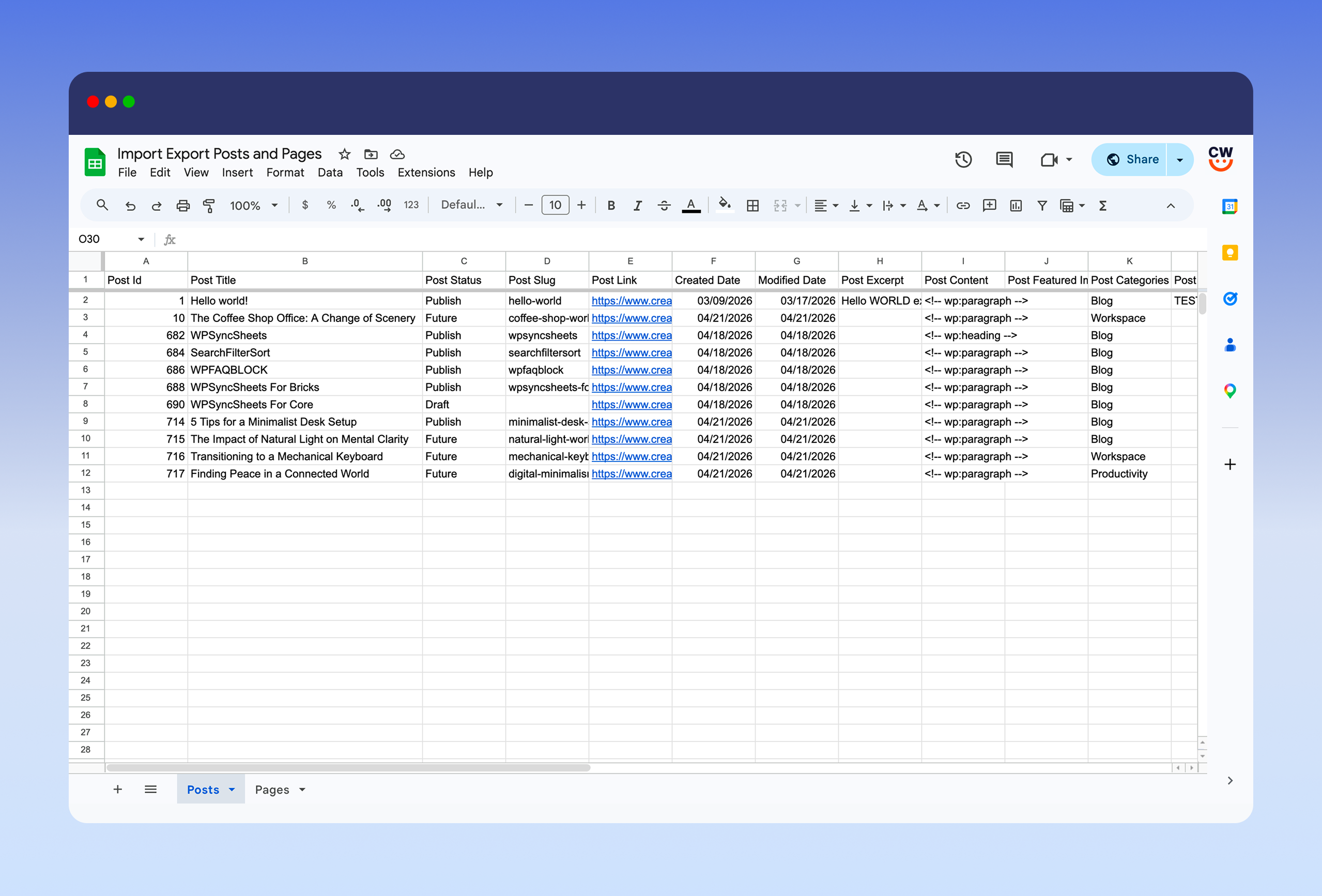
Export WordPress Posts and Pages to Google Sheets
Installation
- Upload the entire ‘import-export-posts-and-pages’ folder to the ‘/wp-content/plugins/’ directory.
- Activate the plugin through the Plugins screen (Plugins > Installed Plugins).
You will find the “WPSyncSheets for Core” menu in your WordPress admin screen.
For basic usage, have a look at the plugin’s Documentation.
அடிக்கடி கேட்கப்படும் கேள்விகள்
-
Why are my posts or pages not syncing to Google Sheets or just spinning indefinitely?
-
This usually happens when:
- Your Google authentication token needs reauthorization. Visit the plugin settings and reauthorize.
- Google Sheets and Drive APIs are not enabled on your Google account. Ensure both APIs are enabled in your Google Cloud Console.
-
Can I freeze the sheet header row?
-
Yes. The plugin includes an option to freeze or unfreeze the header row in Google Sheets.
-
Can I view, clear, or download the connected Google Sheet?
-
Yes. You can access your linked Google Sheet from the plugin settings with options to view, clear, or download it.
-
What should I do if I see a “This app isn’t verified” warning from Google?
-
If you created the Google API credentials yourself, click “Advanced” and then “Go to project” to continue. It’s safe if you’re the app owner.
-
Why is there a “range exceeds grid limits” error in Sheets?
-
This occurs when the sheet reaches its maximum row or column limit. Simply increase the number of rows in your Google Sheet to fix this.
Reviews
இந்த செருகுநிரலுக்கு மதிப்புரைகள் எதுவும் இல்லை.
பங்களிப்பாளர்கள் & உருவாக்குனர்கள்
“WPSyncSheets For Core – Import Export Posts and Pages” is open source software. The following people have contributed to this plugin.
பங்களிப்பாளர்கள்

Translate “WPSyncSheets For Core – Import Export Posts and Pages” into your language.
Interested in development?
Browse the code, check out the SVN repository, or subscribe to the development log by RSS.
Changelog
1.0.0
- Initial Version