
விளக்கம்
Page Overlay Background for Elementor adds a full-page overlay background option to Elementor pages. Users can enable a page overlay and customize its color. The overlay works seamlessly in both the Elementor editor and the frontend.
Features:
– Enable or disable a full-page overlay.
– Choose any overlay color (supports RGBA for transparency).
– Works on all Elementor pages with live preview.
How It Works:
The plugin adds a fixed overlay element on top of the page content with the selected color. When enabled, the overlay appears immediately without interfering with user interaction.
Screenshots
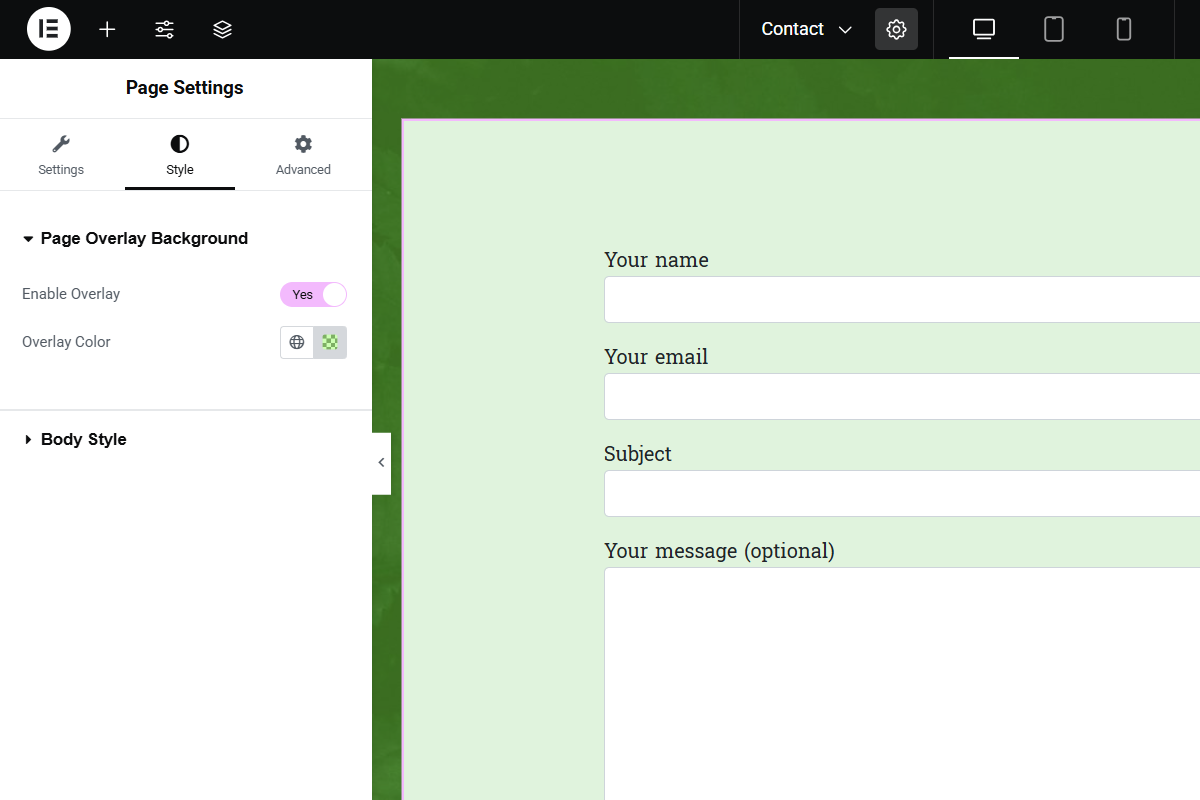
Example of editor output. 
Example of frontend output.
Installation
- Upload the plugin files to the
/wp-content/plugins/page-overlay-background-for-elementordirectory, or install the plugin through the WordPress Plugins screen. - Activate the plugin through the Plugins screen in WordPress.
- Open the Elementor editor, edit a page, and go to the Style tab in Page Settings.
- Look for the Page Overlay Background section, enable the overlay, and select your desired color.
அடிக்கடி கேட்கப்படும் கேள்விகள்
-
Can I disable the overlay on certain pages?
-
Yes, simply turn off the Enable Overlay switch in the Page Settings for that page.
-
Can I use transparent colors for the overlay?
-
Yes, you can use RGBA values for transparency (e.g.,
rgba(0,0,0,0.5)).
Reviews
இந்த செருகுநிரலுக்கு மதிப்புரைகள் எதுவும் இல்லை.
பங்களிப்பாளர்கள் & உருவாக்குனர்கள்
“Page Overlay Background for Elementor” is open source software. The following people have contributed to this plugin.
பங்களிப்பாளர்கள்
Translate “Page Overlay Background for Elementor” into your language.
Interested in development?
Browse the code, check out the SVN repository, or subscribe to the development log by RSS.
Changelog
1.0
- Initial release