Title: WP Post HTML to Blocks
Author: zeshanb
Published: ஜனவரி 17, 2019
Last modified: ஆகஸ்ட் 16, 2023
---
நீட்சிகளை தேடுங்கள்
This plugin **hasn’t been tested with the latest 3 major releases of WordPress**.
It may no longer be maintained or supported and may have compatibility issues when
used with more recent versions of WordPress.
# WP Post HTML to Blocks
By [zeshanb](https://profiles.wordpress.org/zeshanb/)
[பதிவிறக்கு](https://downloads.wordpress.org/plugin/wp-post-html-to-blocks.zip)
* [Details](https://ta.wordpress.org/plugins/wp-post-html-to-blocks/#description)
* [Reviews](https://ta.wordpress.org/plugins/wp-post-html-to-blocks/#reviews)
* [Installation](https://ta.wordpress.org/plugins/wp-post-html-to-blocks/#installation)
* [Development](https://ta.wordpress.org/plugins/wp-post-html-to-blocks/#developers)
[உதவி](https://wordpress.org/support/plugin/wp-post-html-to-blocks/)
## விளக்கம்
This plugin is for content that is copy pasted into Gutenberg editor edited as html
in classic block editor.
Purpose of this plugin is to allow a WordPress publisher administrator to manually
surround html tags such as p, div, br for interpretation by Gutenberg editor as
html blocks.
This plugin also allows parsing and surrounding of line spaced content in classic
editor.
A WordPress admin can use this plugin as a manual way to parse for line spaces (\
n), `
`, `
`, and `
`. Turning them into html blocks.
## Screenshots
[⌊Suppose you have a Wordpress post with paragraph lines from a classic editor⌉⌊
Suppose you have a Wordpress post with paragraph lines from a classic editor⌉[
Suppose you have a Wordpress post with paragraph lines from a classic editor
[⌊Using this plugin you search for post title select paragraph tags and press encapsulate
html tags⌉⌊Using this plugin you search for post title select paragraph tags and
press encapsulate html tags⌉[
Using this plugin you search for post title select paragraph tags and press encapsulate
html tags
[⌊This plugin converts html tags into html blocks in Gutenberg editor.⌉⌊This plugin
converts html tags into html blocks in Gutenberg editor.⌉[
This plugin converts html tags into html blocks in Gutenberg editor.
[⌊Location of plugin's configuration page.⌉⌊Location of plugin's configuration page
.⌉[
Location of plugin’s configuration page.
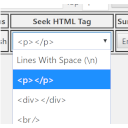
[⌊Configuration page selecting a tag for searching through.⌉⌊Configuration page
selecting a tag for searching through.⌉[
Configuration page selecting a tag for searching through.
## Installation
1. Download the plugin
2. Unzip and Upload the wp-post-html-to-blocks.zip folder to your site’s wp-content/
plugins directory
3. Activate the plugin in the WordPress Admin Panel
4. Visit plugin’s config page under settings side menu in your WordPress dashboard
5. On config page in admin. Locate a post based on it’s title by typing in keywords
from a post’s title. Minimum of two words are required to do a proper search.
6. Select number of desired results from Top drop down
7. Press search
## அடிக்கடி கேட்கப்படும் கேள்விகள்
### Why there isn’t a option to search contents of all posts?
Although all searches of posts are user initiated. Searching for key phrases in
contents of each post would compromise the performance of a WordPress installation.
### Does this parse tags within tags?
Sorry, This plugin allows parsing of external surrounding tags. Not tags inside
of tags. Tags inside tags will be treated by Gutenberg as requiring repairs and
Gutenberg editor will alert post editor.
### Does this plugin edit posts with publish status by default?
You have a choice to select the post with status you prefer.
## Reviews
இந்த செருகுநிரலுக்கு மதிப்புரைகள் எதுவும் இல்லை.
## பங்களிப்பாளர்கள் & உருவாக்குனர்கள்
“WP Post HTML to Blocks” is open source software. The following people have contributed
to this plugin.
பங்களிப்பாளர்கள்
* [ zeshanb ](https://profiles.wordpress.org/zeshanb/)
[Translate “WP Post HTML to Blocks” into your language.](https://translate.wordpress.org/projects/wp-plugins/wp-post-html-to-blocks)
### Interested in development?
[Browse the code](https://plugins.trac.wordpress.org/browser/wp-post-html-to-blocks/),
check out the [SVN repository](https://plugins.svn.wordpress.org/wp-post-html-to-blocks/),
or subscribe to the [development log](https://plugins.trac.wordpress.org/log/wp-post-html-to-blocks/)
by [RSS](https://plugins.trac.wordpress.org/log/wp-post-html-to-blocks/?limit=100&mode=stop_on_copy&format=rss).
## Changelog
#### 1.0
* First version of the plugin.
#### 1.0.1
* added default dashbaord styles to table and search form
#### 1.1
* Fixed undefined index bugs
* new screenshots for readme
#### 1.2
* Welcome panel color to grey
* Use the word markup in welcome message
## Meta
* Version **1.2**
* Last updated **3 வருடங்கள் முன்பு**
* Active installations **10 க்கும் குறைவாக**
* WordPress version ** 5.0 அல்லது மேல் **
* Tested up to **6.1.12**
* PHP version ** 7.0 அல்லது மேல் **
* Language
* [English (US)](https://wordpress.org/plugins/wp-post-html-to-blocks/)
* Tags
* [gutenberg](https://ta.wordpress.org/plugins/tags/gutenberg/)[html block](https://ta.wordpress.org/plugins/tags/html-block/)
* [Advanced View](https://ta.wordpress.org/plugins/wp-post-html-to-blocks/advanced/)
## மதிப்பீடுகள்
No reviews have been submitted yet.
[Your review](https://wordpress.org/support/plugin/wp-post-html-to-blocks/reviews/#new-post)
[See all reviews](https://wordpress.org/support/plugin/wp-post-html-to-blocks/reviews/)
## பங்களிப்பாளர்கள்
* [ zeshanb ](https://profiles.wordpress.org/zeshanb/)
## உதவி
Got something to say? Need help?
[View support forum](https://wordpress.org/support/plugin/wp-post-html-to-blocks/)